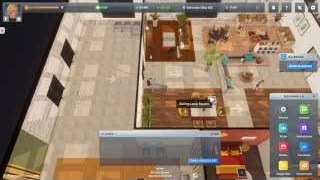
Interior score and the Interior Designer's room rating are different signals. Finish required business furniture first, then improve the room's surfaces, lighting, paths, and decoration; check the score in BizMan after each pass.
Troubleshooting order
| If the score feels stuck | Check this first | Then try |
|---|---|---|
| The business is missing basics | Required furniture, counters, shelves, registers, and usable entrances | Finish the functional layout before decorating |
| Customers or employees move poorly | Tight aisles, blocked paths, and overloaded rooms | Clear walking space and reduce clutter |
| The room looks unfinished | Floors, walls, colors, and blueprint work | Use interior design tools on the whole customer area |
| Advice from guides disagrees | Version date and whether the guide was tested after 1.0 | Follow current in-game score feedback first |
Does interior score matter?
Yes, it is a useful room-quality signal, but it does not replace customer service, hygiene, price satisfaction, or employee satisfaction checks. If the score is low, improve the room after the functional layout works; if customers are still unhappy, inspect the other signal instead of buying decoration blindly.
What the overall Interior Score checks
The overall score in the business insights view is broader than the Interior Designer wall-and-floor score. Developer guidance has described it as combining interior decoration with music, uniforms, bathrooms, and business-specific furniture such as tables and garbage cans for fast food and coffee shops. Use this checklist without assuming that every part has the same weight:
| Layer | Where to check | What to do |
|---|---|---|
| Interior decoration | Interior Designer / room view | Finish walls and floors across the usable customer area |
| Music | Business furniture and customer complaints | Add the required music equipment and confirm the complaint clears |
| Uniforms | Employee or business management view | Assign the expected uniform when the business uses one |
| Bathrooms | Business requirements and reachable room layout | Add the required bathroom items and keep the approach clear |
| Tables and garbage cans | Business-specific requirements | Add and place them for businesses that call for them |
After each layer, reopen the business insights view and record the change. No verified public source in this guide set supports a universal percentage split, so do not use an exact 60/15/15/10 formula as if it were an official rule.
Related guides
If the score remains unclear, compare Interior Score Troubleshooting for layout diagnosis, Building Location Guide for room choice, and Happiness Best Practices for separate customer and employee signals.
Sources
-
Interior Score for developer guidance on decoration, music, uniforms, bathrooms, tables, and garbage cans.
-
Interior Decoration for player questions about interior rating.
-
Big Ambitions: How to Customize the Interior of Your Business for interior design workflow context.
-
The PERFECT Start! How to Build Your First Successful Business - Big Ambitions 1.0.
-
I have a question about the interior score for player wording around interior score.