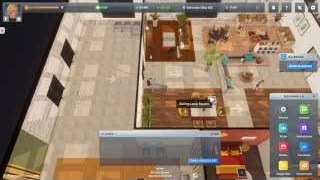
If your character's happiness is low, open the player's current needs/status and act on the lowest displayed need or activity. The developers' 1.0 notes say energy drains faster when hunger and happiness are low, and recommend keeping happiness around half full; use this as a practical routine target, not a promise of higher business profit. Employee satisfaction, customer satisfaction, hygiene, and interior score are separate business signals; buying store decorations will not replace an action for your character. Check the status again after the action registers.
Fix the player's current need
- Read the player's status/needs in game and identify which item is low. Do not guess from an employee complaint or a weak store rating.
- Use the relevant available activity, food, rest, hygiene, or recreation option shown for that need. If an action requires travel, include the travel time and any schedule or access requirement.
- Return to the status screen and confirm the same need or happiness signal changed. If not, check whether the action completed, whether a different need is still low, or whether the current tooltip names a condition.
- Keep the player's routine stable before taking on extra work or expanding the business; low personal needs can make a demanding operating day harder to manage.
If the happiness status itself is low but no single need explains it, use a known activity as a controlled check. A community reference lists reading, watching TV, computer games, and visiting a park or pool as options. For the park bonus, the developer says to leave the park after the activity; a bench outside the park is not equivalent. Check the resulting status in your save rather than relying on an old duration or moodlet value.
| Where you are | Try this activity | Check before leaving |
|---|---|---|
| At home | Read a book, watch TV, or play a computer game using an available setup | The activity completes and the happiness/status indicator changes |
| At a park | Stay for an hour, then leave the park | Check the player's status for the park-walk effect after leaving; a developer says it may not appear while you are still in the park |
| Near a gym | Exercise at Keep Calm and Squat On or use available exercise equipment | The activity finishes and the character's current status updates |
| At a nightclub | Interact with the dance floor and choose a dancing option | Recheck the happiness/status indicator after the dance |
If the number does not move, confirm the activity actually completed, wait for the UI to refresh, and inspect the remaining personal needs. Do not use customer satisfaction or employee demands as a proxy for your character's happiness.
When your happiness affects an employee
If an employee lists Peaceful Work Environment as a demand, the developer says it refers to your character's personal happiness being above 50%. Raise your own happiness with the available activities, then recheck the employee demand; satisfying this one condition does not replace that employee's other demands. This is a historical developer answer, so use the current in-game demand text if it differs.
Keep the business indicators separate
| The signal you see | Where to diagnose it |
|---|---|
| Your character's happiness or personal need is low | Player status/needs and an action that matches the displayed item |
| An employee is unhappy or has a demand | Employee satisfaction guide |
| Customers leave unhappy or wait | Happiness best practices for service, stock, access, and business comfort checks |
| The store's room rating is low | Interior score guide |
Sources
- Developer discussion: Peaceful Work Environment — historical owner-happiness link; verify the current demand tooltip in game.
- Official Big Ambitions announcements — the 1.0 full-release notes describe faster energy drain at low hunger/happiness, recommend keeping happiness half-filled, and confirm nightclub dancing boosts happiness; checked September 26, 2026.
- Developer answer on the Walk in the Park effect — the effect triggers after leaving the park; a bench works only when it is in the park.
- Happiness — community activity reference used for examples; it is an older snapshot, so current in-game activity prompts take precedence.